


AI Integration in Software Development: Benefits, Methods & Guide 2026
AI integration in software development refers to the process of embedding artificial intelligence into the entire software development lifecycle to automate, support, and enhance engineering workflows. Rather than relying solely on manual processes, AI-powered tools assist with code generation, bug detection and fixing, testing, deployment, and continuous optimization across modern software systems.
This transformation delivers substantial benefits for both development teams and organizations, including reduced repetitive workload, improved software quality, faster planning and decision-making, and broader access to software development capabilities. In addition, AI enables more personalized and engaging user experiences. These advantages span key areas such as automated coding, testing, project management, documentation, performance optimization, security, DevOps and CI/CD pipelines, UX design, and system architecture.
This article provides a comprehensive overview of AI in software development by answering what AI is, how it is applied, and how it reshapes the software development lifecycle (SDLC). Alongside the benefits, it also addresses potential risks and the mindset shift required for successful adoption. Finally, a practical step-by-step guide will show you how to integrate AI into your development process, empowering you to stay ahead in the future of software engineering.

1. What is AI in software development?
What is AI in software development? AI in software development is the practical application of machine learning and natural language processing to automate the engineering lifecycle. Algorithms manage specific tasks ranging from code generation and testing to debugging and deployment so developers save time.
Today, AI integration for software business is commonly implemented in two primary forms: Generative AI and Embedded AI. Generative AI focuses on creating new content, such as generating code snippets from natural language prompts, which significantly speeds up routine development tasks. Embedded AI, on the other hand, acts as an AI-augmented layer integrated directly into development workflows, providing real-time assistance to engineers.
With capabilities like intelligent code suggestions, automated bug detection, and early issue alerts during coding, Embedded AI allows developers to focus more on complex logic and system architecture.

2. How is AI used in software development?
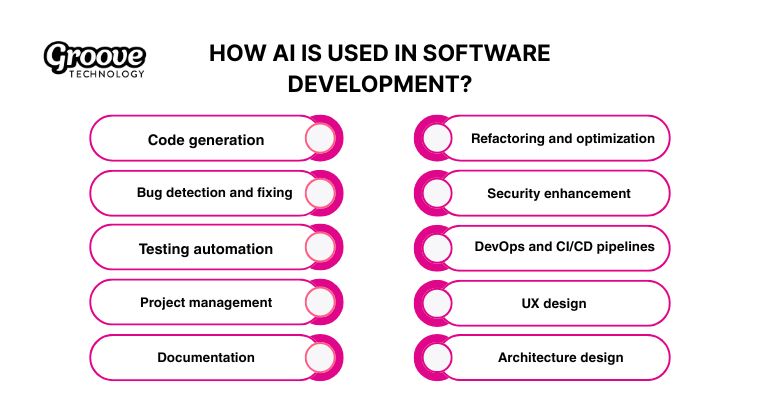
Artificial intelligence supports engineering teams across ten distinct areas to speed up delivery and raise quality standards.
- Code generation: Intelligent tools like GitHub Copilot suggest functions or entire blocks from your prompts. By predicting the next lines of code, AI accelerates the coding process and reduces syntax errors from the early drafting stage.
- Bug detection and fixing: AI models analyze patterns within the codebase to identify security vulnerabilities or inefficient code before deployment. In addition to real-time alerts, these systems recommend fixes and use historical data to predict areas that are more likely to generate errors in the future.
- Testing automation: AI agents generate comprehensive test cases directly from user stories to cover more scenarios than manual efforts. Tools prioritize the most critical tests to save resources and ensure your product remains stable during updates.
- Project management: Automation handles scheduling and resource allocation to keep the backlog organized. Analytics review past project data to provide precise timeline estimates so your team can set realistic expectations for stakeholders.
- Documentation: Natural language processing turns complex code into clear explanations for APIs and libraries. Translation features localize technical documents into multiple languages so global teams and open-source contributors can access the information easily.
- Refactoring and optimization: AI assistants review the codebase to identify bad practices or redundant logic. Recommendations highlight specific changes to improve performance and make the system easier for other developers to maintain in the long run.
- Security enhancement: Security tools monitor the code for threats like SQL injections or cross-site scripting attacks. Audits verify that every change meets safety standards and provide mitigation strategies to protect sensitive user data.
- DevOps and CI/CD pipelines: Automation manages infrastructure tasks such as load balancing and scaling within your pipeline. Intelligent monitoring detects performance bottlenecks in real time to ensure builds deploy faster and the system remains reliable.
- UX design: AI algorithms analyze user behavior to generate interface layout suggestions, accelerating the design process. They also personalize experiences for different user segments and interpret A/B testing results to determine which design elements perform best.
- Architecture design: Neural networks analyze large datasets to propose scalable frameworks for complex systems. Solutions incorporate best practices to ensure the underlying structure supports future growth and consistent performance across all applications.
3. Benefits of AI in software development
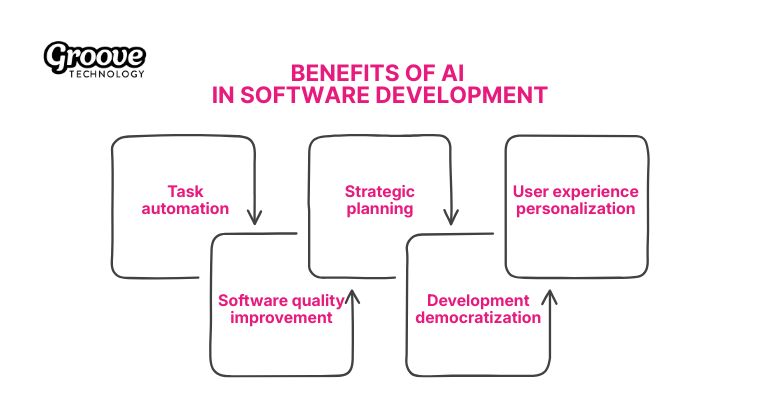
Using AI integration for software business for your workflow brings five clear advantages that shift how teams build products.
- Task automation: Algorithms handle routine coding duties like function generation to save your team hours of manual labor. Developers focus energy on complex logic and creative problem-solving instead of repetitive typing.
- Software quality improvement: Scanners detect bugs and vulnerabilities early in the cycle so you fix issues before deployment. Intelligent testing tools run scenarios autonomously to increase the reliability of the final build.
- Strategic planning: Analytics review historical project data to provide accurate timeline estimates for your upcoming sprints. Managers make informed choices based on facts to keep every milestone on track.
- Development democratization: Low-code platforms allow non-technical staff to build applications without writing a single line of code. Business teams create specific solutions for their needs while engineers handle the core systems.
- User experience personalization: Real-time data processing adapts the interface to match individual user preferences instantly during their session. Applications provide smarter recommendations that keep users engaged and satisfied with the interaction.
4. Potential risks of AI in software development
While AI software integration delivers clear efficiency gains, its adoption also introduces five key challenges that development teams must actively manage to keep projects secure, ethical, and sustainable.
- Bias amplification: Data sets with hidden prejudices cause algorithms to replicate unfair outcomes in your final product. You must audit these outputs frequently to verify the software treats every user equitably.
- Skill degradation: Developers might lose their core coding sharpness if they lean too heavily on automation tools. You should view these systems as assistants to maintain your technical expertise.
- Security vulnerabilities: Generated code often contains hidden flaws that human reviewers might miss during a quick check. You must conduct manual inspections and security audits to prevent breaches before the release.
- Operational opacity: “Black box” models make it difficult for engineers to understand how the system reaches specific decisions. Interpretable tools help you track the logic behind every automated choice.
- Role displacement: Automation handles routine tasks and might lower the demand for specific junior development roles eventually. Professionals can adapt by focusing on complex problem-solving that machines cannot replicate yet.
5. The mindset before integrating AI into software development
Does this technology replace human intelligence? No, AI does not replace your skill set but rather acts as a highly capable assistant. When working with AI integration software, I realized early on that success depends on five specific shifts in how we view and apply these tools within the development process.
- Role definition: Algorithms act as instruments in your kit to support your abilities instead of taking them over. You remain the primary architect who makes the final decisions on every project.
- Iterative approach: The workflow requires patience because the first output rarely meets production standards immediately, so you should treat the initially generated result as a rough draft while you refine the logic for your specific requirements.
- Code verification: Verification is mandatory because you must comprehend the logic behind every line of generated code. This step prevents errors and guarantees that the syntax aligns perfectly with your business goals.
- Prompt precision: Precision determines the quality of the results because detailed instructions function like clear tasks for a colleague, and this specific communication leads to much better outcomes.
- Continuous learning: Each AI suggestion is an opportunity to learn. By examining why a particular solution or improvement was recommended, developers often discover new techniques, libraries, or best practices that expand their technical knowledge over time.

6. How to integrate AI into software development?
This guide outlines a practical workflow for AI-assisted engineering, including environment setup, strategic planning and crafting precise prompts. It also details techniques for reviewing generated code and implementing strict testing protocols to guarantee high-quality software delivery.
Step 1: Setting up your development environment
Here is a quick checklist to get you started with the right infrastructure.
- Select your primary IDE: Stick with the text editor you already know, whether that is VS Code, IntelliJ, or Sublime Text. Familiarity with your core tools allows you to focus on the new AI features rather than relearning a basic interface.
- Dedicate a specific workspace for AI: Keep a separate window or browser tab open specifically for your AI chat interface. This physical separation helps you mentally switch between writing code and brainstorming logic with the assistant.
- Systematize your prompt library: Save your most effective instructions in a simple document or note-taking app for easy access. You will write many prompts, and having a personal library of “winners” saves significant time on future tasks.
- Implement strict version control: Start using Git immediately if you do not already. AI generates code rapidly and can sometimes introduce errors, so you need the ability to track every change and revert to a clean state instantly.
Step 2: Strategic project planning
Your AI assistant needs context just like any new human team member would need a proper onboarding briefing. I realized early on that skipping the “briefing” phase leads to generic code that requires heavy editing later. You should provide specific context to build a solid foundation.
- Contextualize the AI assistant
To brief your assistant effectively, provide five specific details that define the project scope:
- Project Overview: A clear summary of the problem you are solving.
- Tech Stack: The specific languages, frameworks and tools in your plan.
- Key Requirements: The non-negotiable features or functionalities.
- Constraints: Any performance limits, browser support needs or budget caps.
- Style Guide: Your preferred architectural patterns or naming conventions.
Prompt template: “I am launching a new project described as [brief description] and need you to build a reference knowledge base for our session. We will utilize [tech stack] to build [list features] while adhering to [list constraints]. Our team follows [mention preferences] for coding style. Please summarize this data and identify any missing technical details we should define before writing code.”
- Deconstruct the architecture
Complex applications become manageable when you slice them into smaller, independent modules using the AI’s logic capabilities. My early attempts often failed because I tried to build too much at once, but AI helps find the balance between granularity and oversight. You can use this prompt to organize the structure into five logical segments:
Prompt template: “Review the project overview above and split the application into isolated, manageable components. Please provide a structure for each module that includes:
- A clear component name.
- The primary functionality.
- Technical challenges we might face.
- Data flow interactions with other parts.
- A logical development sequence.”
- Generate a development roadmap
A clear timeline transforms a list of components into an actionable plan that highlights potential bottlenecks before they occur. The AI acts like a technical project manager and helps you sequence tasks to avoid dependency conflicts. You can generate a solid starting point that covers five key planning areas with this request:
Prompt template: “Draft a project roadmap based on the component breakdown we just established. The plan should detail:
- The sequential order of development.
- Estimated time investment for each phase.
- Critical milestones to track progress.
- Dependencies that dictate the order of operations.
- Recommendations for necessary proof-of-concept stages.”
Step 3: Crafting precise prompts
To get the highest quality code from your assistant, focus on two main areas: mastering the language of prompting and using a structured template.
- Master the syntax of English: To get usable code from the machine, focus on six specific instruction points when writing the request. English is rapidly becoming the most valuable programming language for modern engineers, so you must communicate with extreme clarity.
- Standardize your request format: To simplify the process, adopt a standardized request format that addresses three core needs in a single pass. A structured request forces the AI to consider details it might otherwise ignore.
Prompt template: “Write a solution to implement [specific functionality] using [programming language]. The code must satisfy these requirements:
[Requirement 1]
[Requirement 2]
[Requirement 3] You must also address error handling, known edge cases, and performance optimization for [framework]. Do not delete existing comments or code unless absolutely necessary. Please include clear comments to explain the new logic.”
Step 4: Reviewing and refining
To maintain high quality and prevent future bugs, follow five distinct steps when integrating code provided by the assistant. Never, ever blindly copy-paste AI-generated code into your project; I made this mistake early on and spent hours debugging issues that a careful review would have caught.
- Examine the structure: Read through the entire code snippet to check for the general approach and organizational logic. You need to ensure the architecture and style align with your project’s existing conventions and not just generic patterns.
- Verify assumptions: Look for logical errors or misinterpretations because the AI might misunderstand a project requirement or make incorrect functional assumptions. These subtle failures are often the hardest to debug later in the development cycle.
- Check for best practices: Review the code to guarantee it follows the established conventions and standards for your specific language and framework. Clean code prevents maintenance issues and makes future collaboration easier for your team.
- Confirm error handling: Look closely to verify that edge cases and potential runtime errors are handled appropriately within the generated functions. Proper handling makes your final product reliable and robust under stress.
- Understand the logic: Ask the AI to explain any section of the code you do not fully comprehend before merging it into your codebase. You need complete mastery of the solution to debug and maintain the feature long-term.
Prompt for clarification: “Please provide a detailed explanation for this specific code section: [paste code section]. Specifically, answer these questions:
- What is the explicit purpose of this section?
- Outline how the solution works step-by-step.
- Identify any potential issues or limitations related to this approach.”
Step 5: Quality assurance
So far, we’ve designed, we’ve built, we’ve optimized, but our journey isn’t over yet. We are about to enter one of the most critical phases of software development: testing and debugging. With the help of AI, you can transform this often-dreaded phase into an efficient part of your development process.
- Generate comprehensive unit tests:
To establish a foundation for reliable software, generate a comprehensive test suite that covers four critical scenarios. Unit tests are the foundation of any good testing strategy.
Prompt for Test Generation: “The following function requires a full test suite: [Paste your function here]. Design a set of unit tests that explicitly cover these areas:
- Ideal usage scenarios.
- Failure conditions and expected errors.
- Input validation and boundary checks.
- Other unusual edge cases.
For each, include:
- A short description of the goal.
- The complete test code using [preferred testing framework].
- A list of any mock objects or test fixtures needed.”
- Apply AI-assisted debugging
To successfully resolve those particularly annoying and elusive bugs, apply four distinct debugging strategies using the assistant. AI can be an incredible ally in tracking down errors, often suggesting solutions you had not considered.
Prompt for Debugging: “I am currently stuck on an error described as [Describe the bug, including error messages and steps to reproduce].
The related code is: [Paste the code related to the bug].
Act as a senior debugger and help me:
- Analyze the code and pinpoint the root cause of the error.
- Outline a sequence of steps I can take to isolate the issue.
- Recommend any specific diagnostic tools.
- Propose one or more solutions and explain the rationale for each fix.”
- Use continuous code review
To integrate ongoing quality improvement, initiate a code review process that assesses five key quality metrics. Using AI for this purpose is one of my favorite ways to ensure constant improvement in the QA process.
Prompt for Code Review: “Perform a comprehensive code review on this section: [Paste your code here].
The review must specifically check these five criteria:
- Project style compliance and best practices.
- Potential bugs, including unhandled edge cases.
- Efficiency and optimization opportunities.
- Security flaws and vulnerabilities.
- Code readability and future maintainability.
For every finding, provide:
- A clear explanation of the issue.
- A specific suggestion for correction.
- A technical reason supporting the proposed change.”
7. Top 5 AI tools for software development
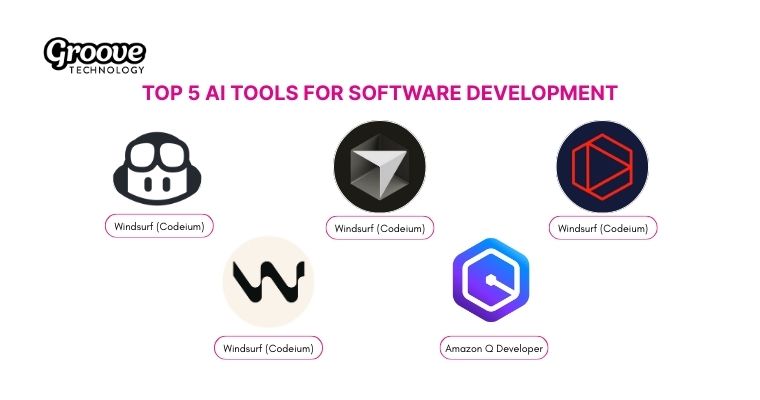
If you are ready to put the mindset and planning into practice, you need the right instruments. These five tools represent the current market leaders that engineers use to speed up daily work.
- GitHub Copilot: This code completion assistant suggests entire lines or blocks directly within your favorite IDE, including VS Code and JetBrains products. Integration dramatically boosts productivity across various programming languages.
- Cursor: This dedicated AI-native IDE excels at comprehensive code generation and smart refactoring for large repositories. Its deep context awareness helps you quickly fix complex issues.
- Tabnine: The deep learning model offers intelligent code completion and detects potential errors while you write. Systems adjust suggestions based on your individual coding style and help create documentation.
- Windsurf (Codeium): This full-featured AI IDE supports over 70 languages and features real-time chat and debugging support. Cascade AI capabilities allow collaboration directly within the terminal interface.
- Amazon Q Developer: The IDE-integrated assistant provides faster code generation and supports AWS-specific queries. Tools help accelerate testing protocols and security assessments for your cloud applications.
This guide clarified that successful AI integration in software development depends on more than just the right tools. We covered the full lifecycle: defining AI, listing its benefits and risks, changing your engineering mindset, and providing a five-step plan for integration and testing. Readers now possess the strategic framework needed to safely and effectively scale AI within their existing software teams.
If you are looking to accelerate adoption, Groove Technology acts as a strategic partner. We offer specialized services including AI and Machine Learning models, comprehensive AI Solutions Outsourcing, AI Agent Solutions, and powerful AI Data Analytics Solutions. Contact our experts to achieve technical excellence and secure sustainable growth!

